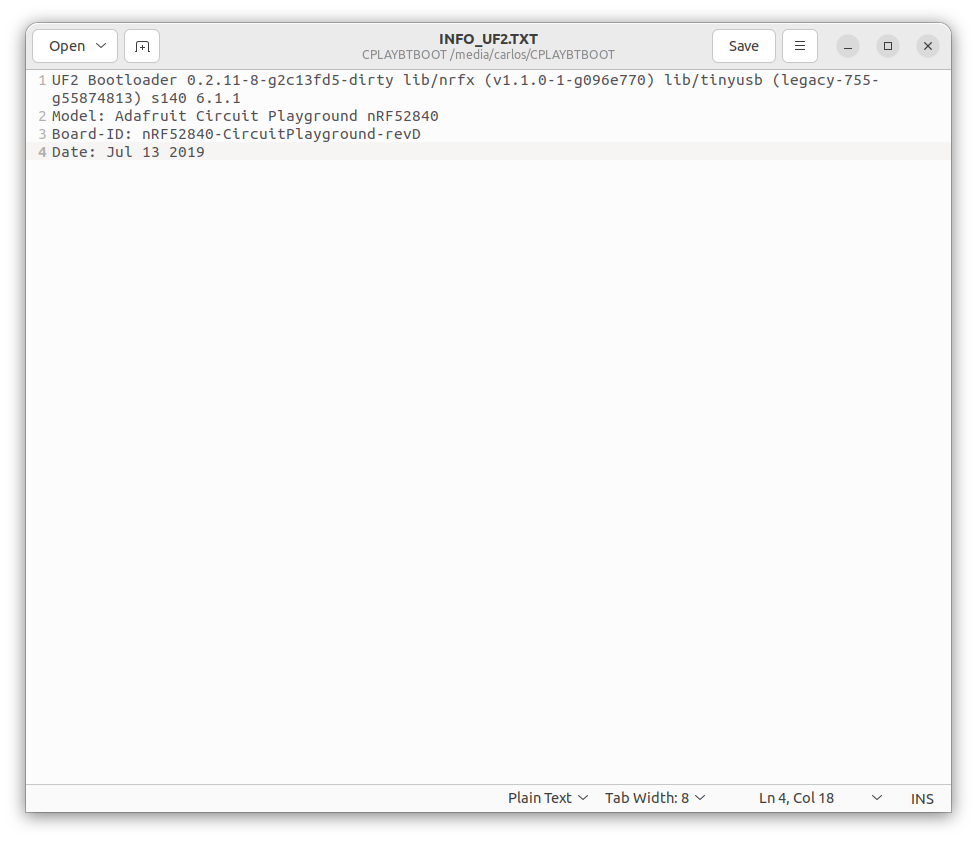
Some of the newer CircuitPython UF2s do not install correctly on old boot loaders. If you put the CPX/CPB into CPLAYBOOT mode and open the INFO_UF2.TXT file it will tell you the version of the bootloader that you have just like the figure below.
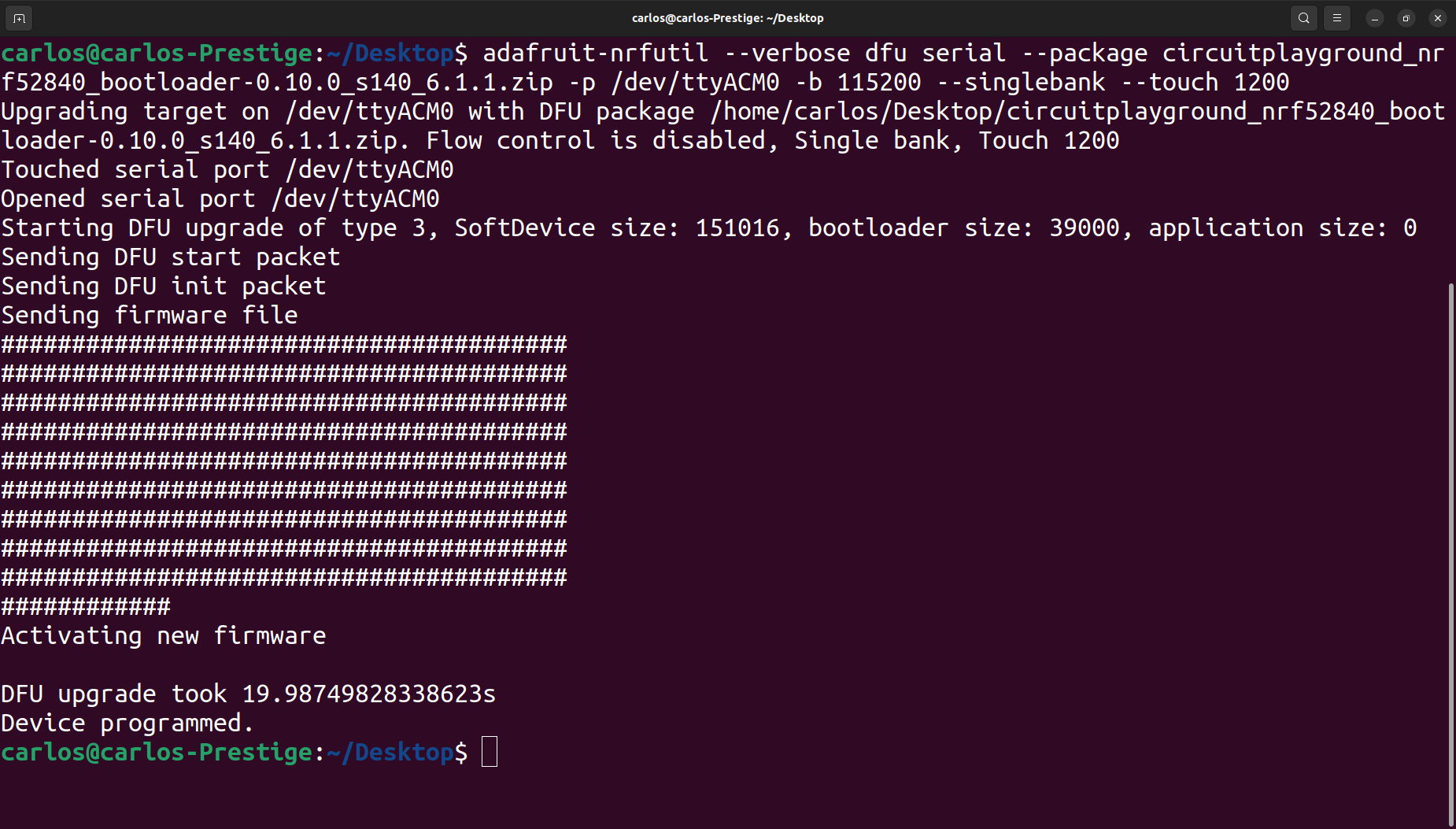
In this case the version of the bootloader is 0.2.11 which is older than most new UF2s require. If you’re having an issue with an old bootloader be sure to update the bootloader for the CPB or alternatively the bootloader for the CPX. At the time of this writing here is the command you need to upload the new bootloader the CPB. If you have version 0.4.0 or later you can use the UF2 method[32]. If your bootloader is too old you need adafruit-nrfutil. Here is the command you need to upload the new bootloader to the CPB.
For windows users you use the adafruit-nrfutil.exe file from the Adafruit bootloader website. Then, usingcommand prompt to run the command above you need to change the tty port to the correct COM port which can be found using Device Manager.
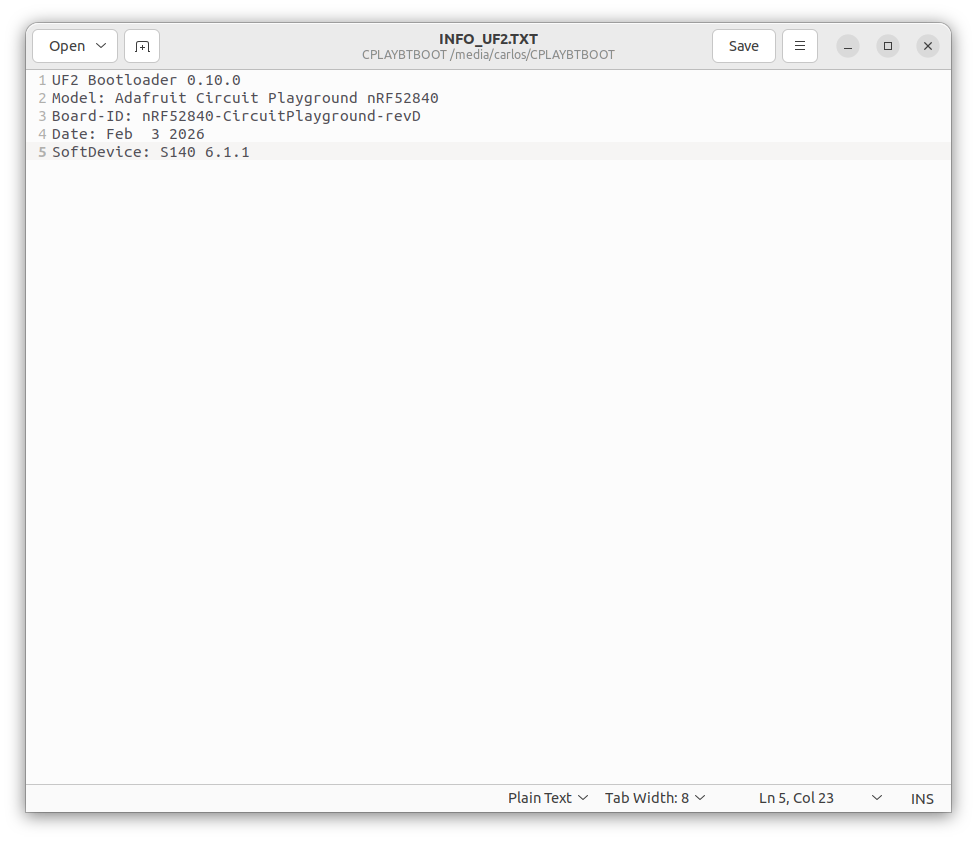
For the CPX there is a UF2 that you transfer over to the CPLAYBOOT drive. At the time of this writing the version you’re looking for is update-bootloader-circuitplay_m0-v3.15.0.uf2. Once you update the bootloader you can check the version by opening the INFO_UF2.TXT file again and it should show the new version. The figure below shows an example of the new bootloader version after updating. In this case the version is 0.10.0 which is much newer than the old 0.2.11 version.