Section 23.2 CPB Wiring and Software
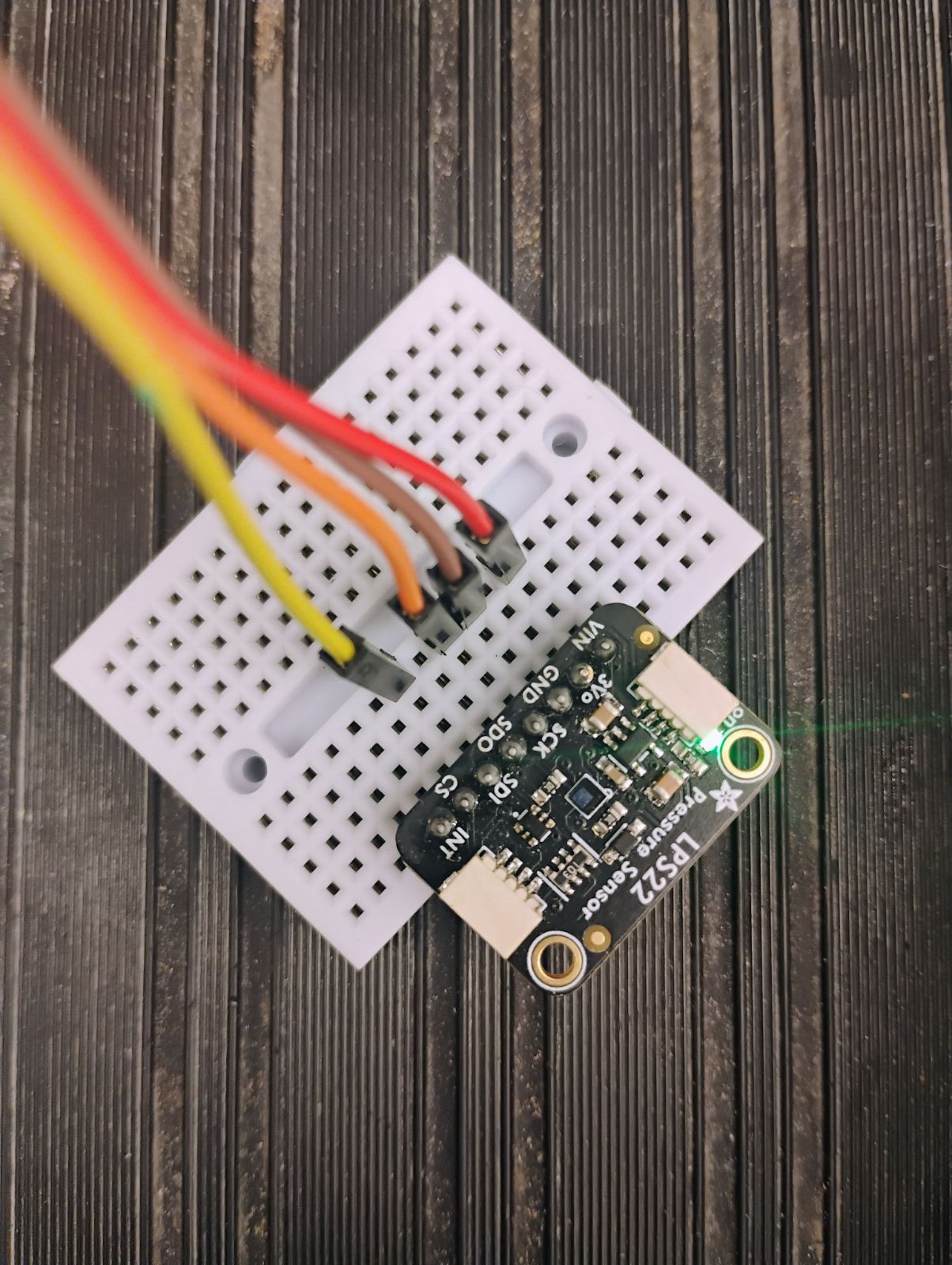
The only difference between the wiring diagram shown previously and the CPX/CPB is that you will be using 4 alligator clips. The rest is straightforward. You need 3.3V to run to VIN, GND to GND and then SDA to SDI and SCL to SCK. The two figures below show a CPB wired to the LPS22.
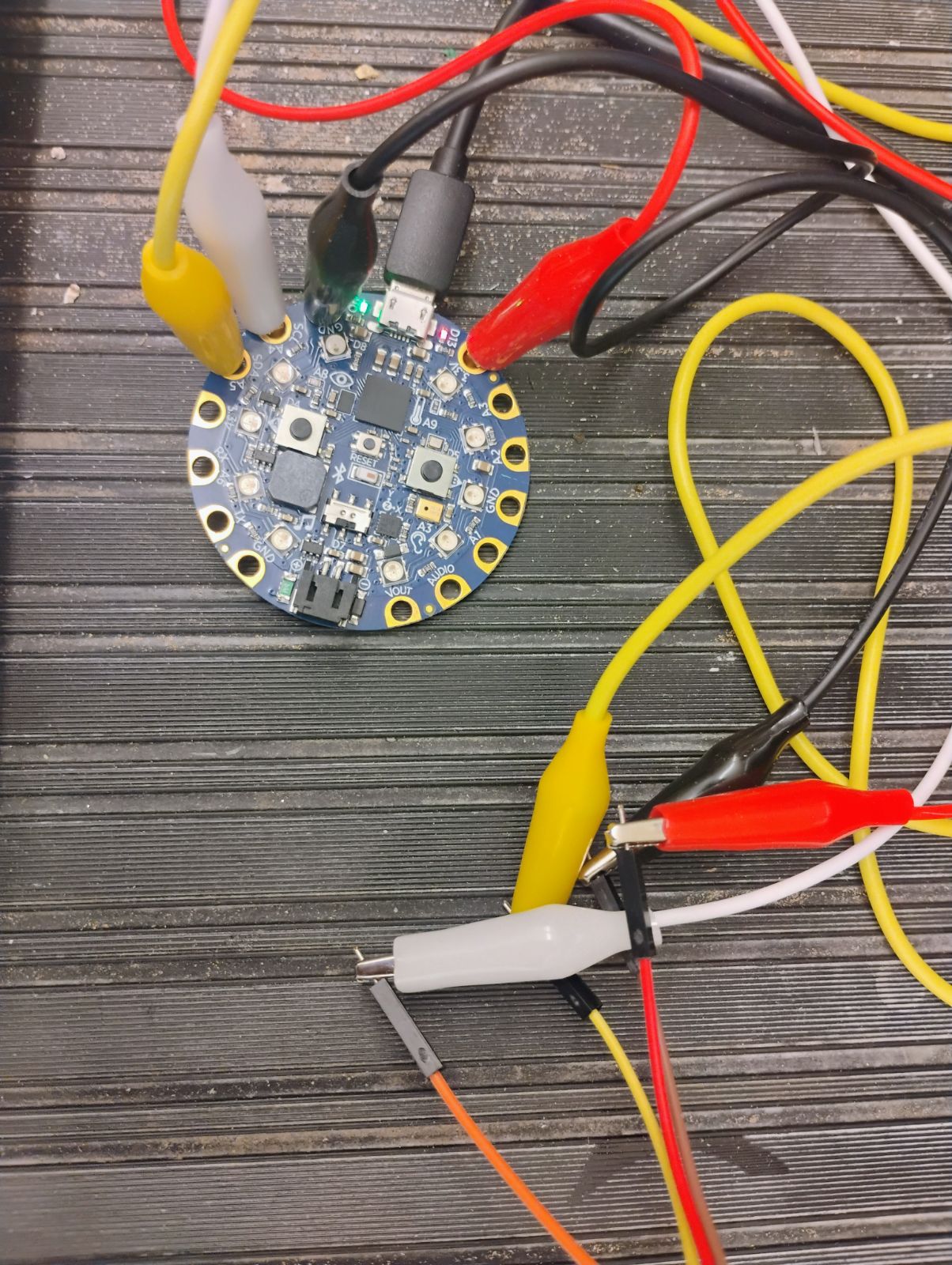
In the photos above and below, the red alligator clip is connected to 3.3V and is then connected to a red male-male wire which is then connected to the VIN pin on the LPS22. The black alligator clip is connected to the GND pin which is connected to a brown male-male wire connected to the GND pin on the LPS22. The white alligator clip is connected to the SCL pin connected to an orange male-male wire connected to the SCK pin on the LPS22. Finally, the yellow alligator clip is connected to the SDA pin connected to a yellow male-male wire connected to the SDI pin on the LPS22.
Once you have the circuit wired and soldered it’s time to work on software. First, you want to make sure you have your Circuit Python UF2 up to date[30]. Once I updated my UF2 I also updated my Circuit Python Libraries (See Section 7.2 for help on installing extra modules on your CPX/CPB)[30]. In this lab I purposefully made the code a bit more elaborate by adding, bluetooth, and method 3 data logging. The reason is that my students in Aerospace Propulsion and Spacecraft Design have to build a hobbyist level rocket and get pressure data during the flight. This way they know how high their rocket went. As such they need to build a standalone datalogger that can be placed into a rocket. The specific modules I needed for this lab for all of that functionality is as follows:
-
adafruit_lis3dh
-
adafruit_lps2x
-
adafruit_thermistor
-
neopixel
-
adafruit_ble
Notice that I also added the thermistor and lis3dh libraries to get acceleration and temperature from the CPB. Once you have the necessary modules you can run some example code. Note that it’s a good exercise when attaching I2C devices to run a scan on all connected I2C devices to make sure you can see the device and that you have the correct address (See Section 7.4). Once you’re positive the I2C address of the LPS22 is setup properly you can run the example code to log pressure and acceleration data. Note that the link previously shown is to a folder of many many different pieces of software. The reason is because some students have a CPX that doesn’t have bluetooth, some students want their CPX/CPB to beep and some students use a BME280 instead of an LPS22 to log data. Make sure to select the correct version for your hardware. Once you get it working the output will look something like this.
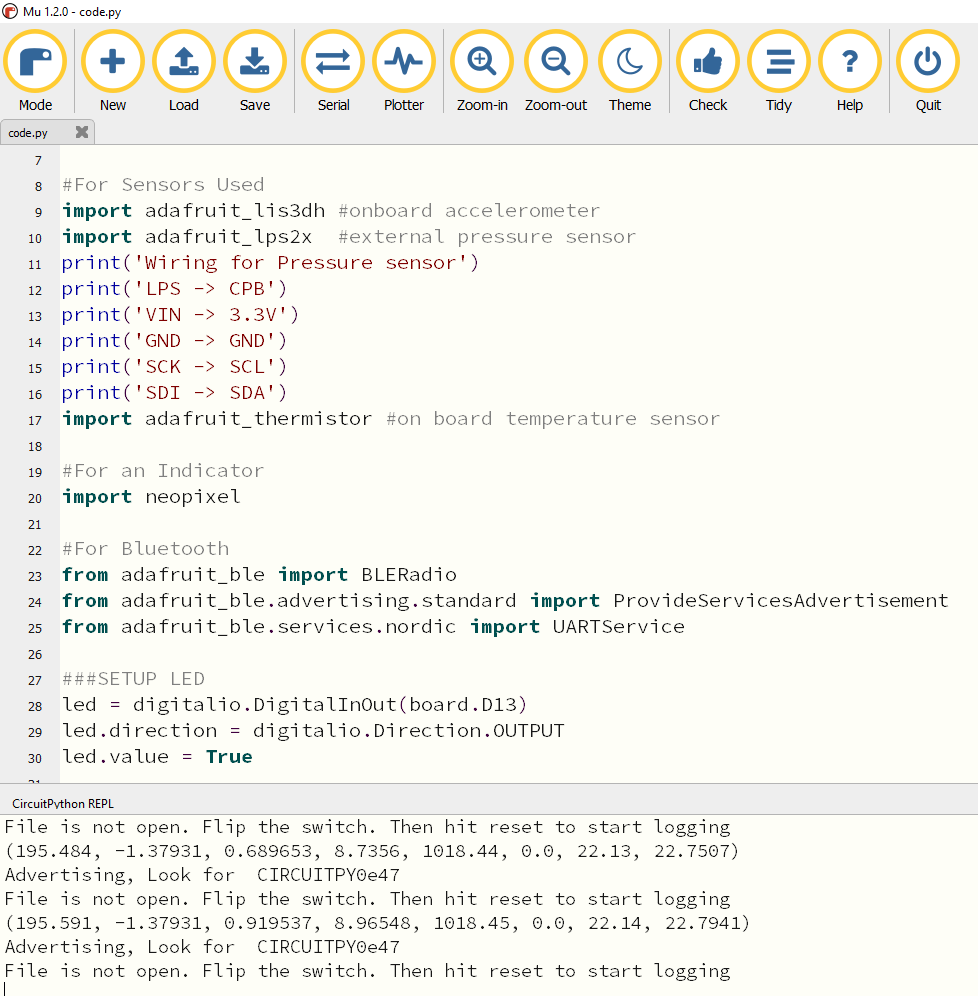
The data shown have multiple columns of data which are time,x accel,y accel,z accel,pressure,relative humidity,lps22 temperature, CPX/CPB temperature. Notice that the relative humidity is 0.0 because the LPS22 doesn’t have a humidity sensor. If you were to use a BME280 instead of an LPS22 you would get relative humidity data as well. It’s possible to convert the pressure data to altitude and is shown in Section 23.4.

