Section 23.3 Arduino Wiring and Software
The wiring for the Arduino is similar to any I2C setup like the external IMU (Chapter 22). In this case 3.3V and GND are straightforward while SDI and SCK pins are connected to the dedicated SDA and SCL pins on the Arduino. The good news is that the entire Arduino family has dedicated SDA and SCL pins for I2C. The Figure below shows the pressure sensor connected to an Arduino MEGA.
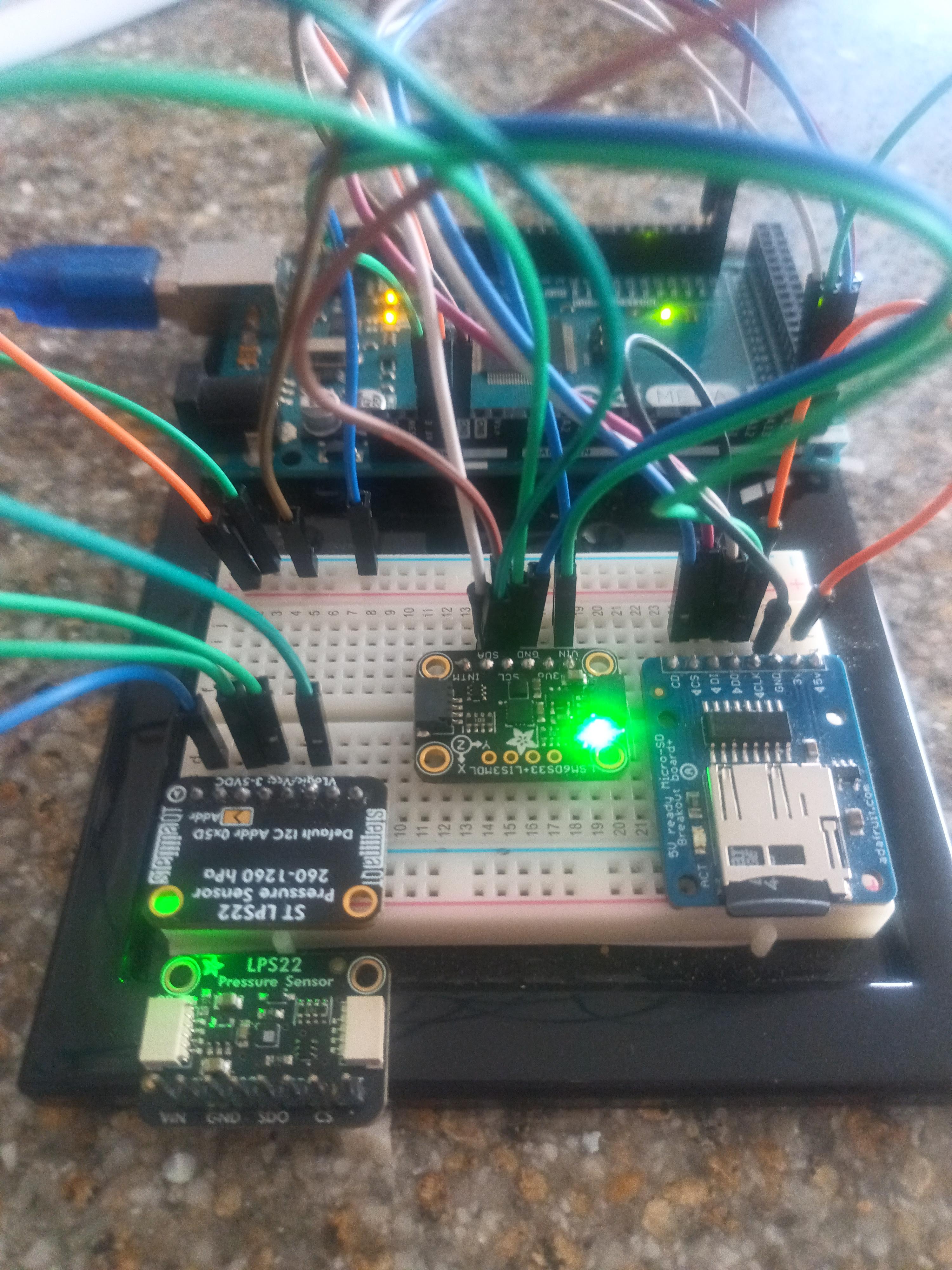
The Figure above also has an external IMU (Chapter 22) and micro sd card breakout board (Chapter 11) connected to the Arduino to build a standalone datalogger capable of measuring acceleration and pressure and log that to a micro SD card. This is so students can place this whole setup into a rocket and measure pressure and acceleration while logging that to an SD card. The LPS22 sensor is the sensor on the left but unfortunately has header pins soldered upside down. As such the LPS22 sensor is upside down. Since you can’t see the pins I placed another identical LPS22 right below it so the pins are shown. In this case, the blue wire is connected to the same 3.3V pin as the IMU, the left most green wire is connected to GND on the Arduino, the next green wire is the SCK pin connected to the same SCL pin as the IMU, and the last dark green wire is connected to the SDI pin on the LPS22 while the other end is connected to the same SDA pin as the IMU. Note that I2C has multiple “addresses”. This means you can have multiple different I2C sensors connected to the same SDA/SCL pins and the code/hardware will know which sensor is where just like addresses on a street. Moving on to software, the code is similar to any I2C device in that it is necessary to get the LP22 library but also Adafruit_BusIO and Adafruit_Sensor. Since these libraries are from Adafruit rather than Arduino I find it easier to navigate to Github and download the zip libraries directly. The list of libraries you need and links to those websites are shown below
Once you have the zip folders downloaded you need to navigate to Sketch>Include Library>Add .ZIP Library... and then add the ZIP file you just downloaded. This is different than adding a library directly from the Arduino website as is done for the SD library in Chapter 11. The code for just reading the pressure sensor can be found in the example set of Adafruit_LPS2X and is done by navigating the toolbar as shown below.
File>Examples>Adafruit_LPS2X>adafruit_lps2x_test.
Just in case you’re having trouble finding the example script, I’ve placed a streamlined LPS22 copy of the example on Github. A snippet of that code is shown below.
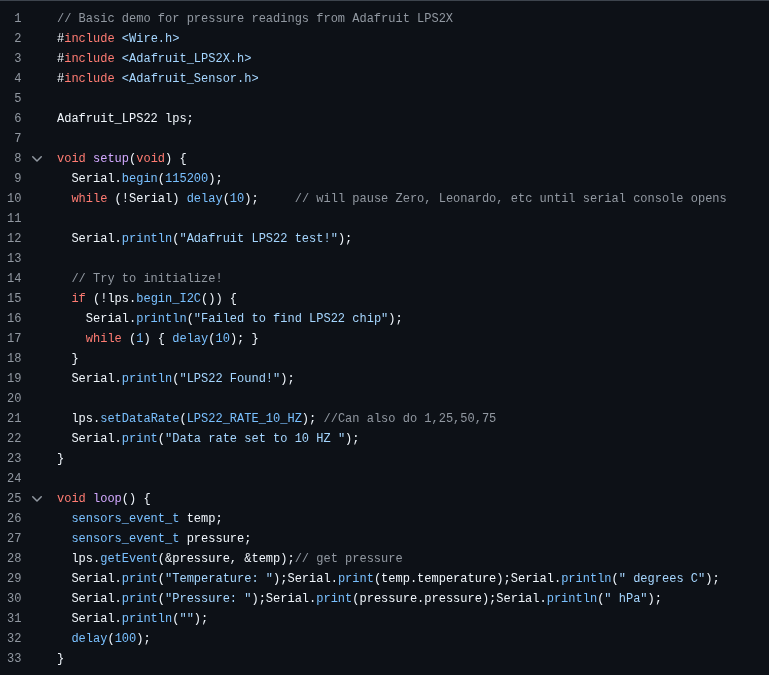
Notice that lines 2-4 of the software have the #include calls to the libraries just installed. Wire.h is a pre-installed header file and Adafruit_BusIO is called from Adafruit_Sensor so you the code doesn’t require an excplicit include. Once you’ve got the code opened and the libraries installed you should be able to compile without seeing any errors. After uploading the code the serial monitor should produce something similar to the figure below.
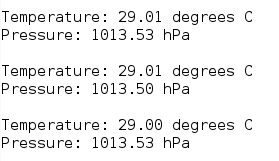
Again, it’s possible to convert pressure to altitude and is done in Section 23.4. Along with getting pressure data from the LPS22, it’s possible to augment the software to also read the external IMU from I2C and log all data to the micro SD card. A snippet of the software is shown below while the software itself for a standalone Pressure+IMU datalogger is on Github us usual.
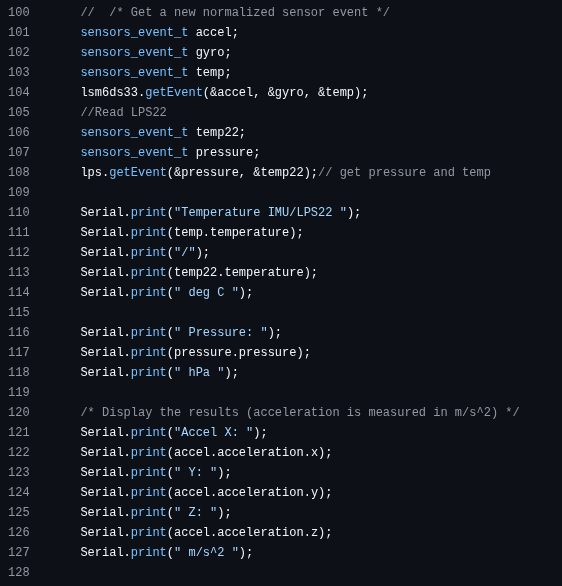
In that snippet of code, you can see the loop routine where the IMU and the Pressure sensors are polled and printed to the serial monitor together. Once that code is compiled and flashed to the Arduino the serial monitor output will create something similar to the figure below.


