In order to read serial data from a microcontroller, the serial library must be installed in Python. The serial library allows the computer to communicate with the serial port on a computer and read data sent from the microcontroller. The steps to install the serial module is the same as installing numpy or matplotlib explained in Chapter Chapter 5. If using Spyder or command line the command is shown below.
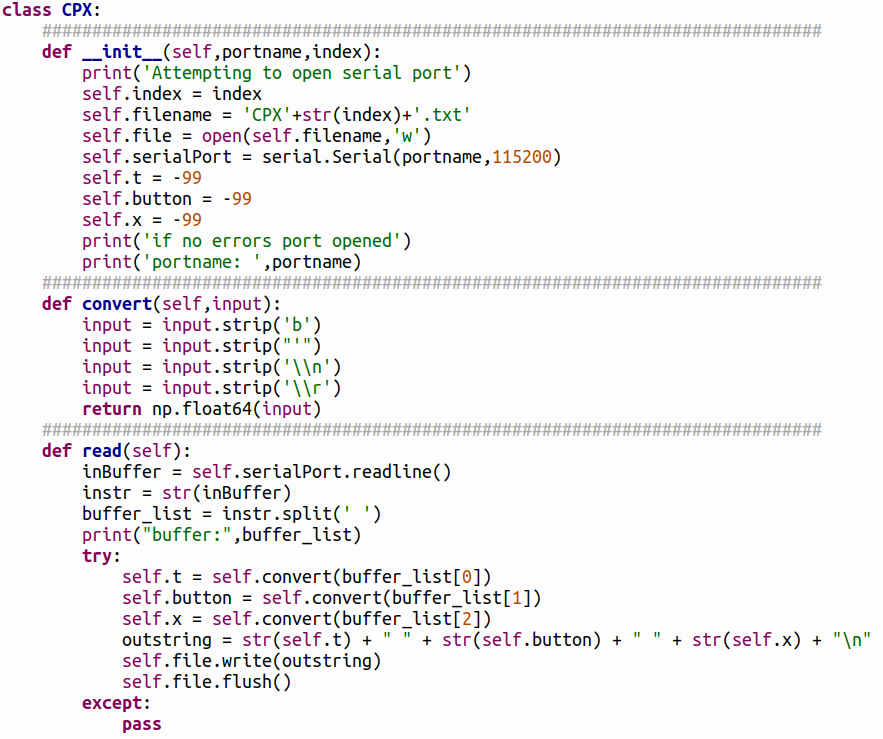
if using Python3. If using Thonny, the process is the same as installing any other module by going to Tools > Manage Packages. The code to read serial data from the CPX/CPB is shown below and can also be found on Github.
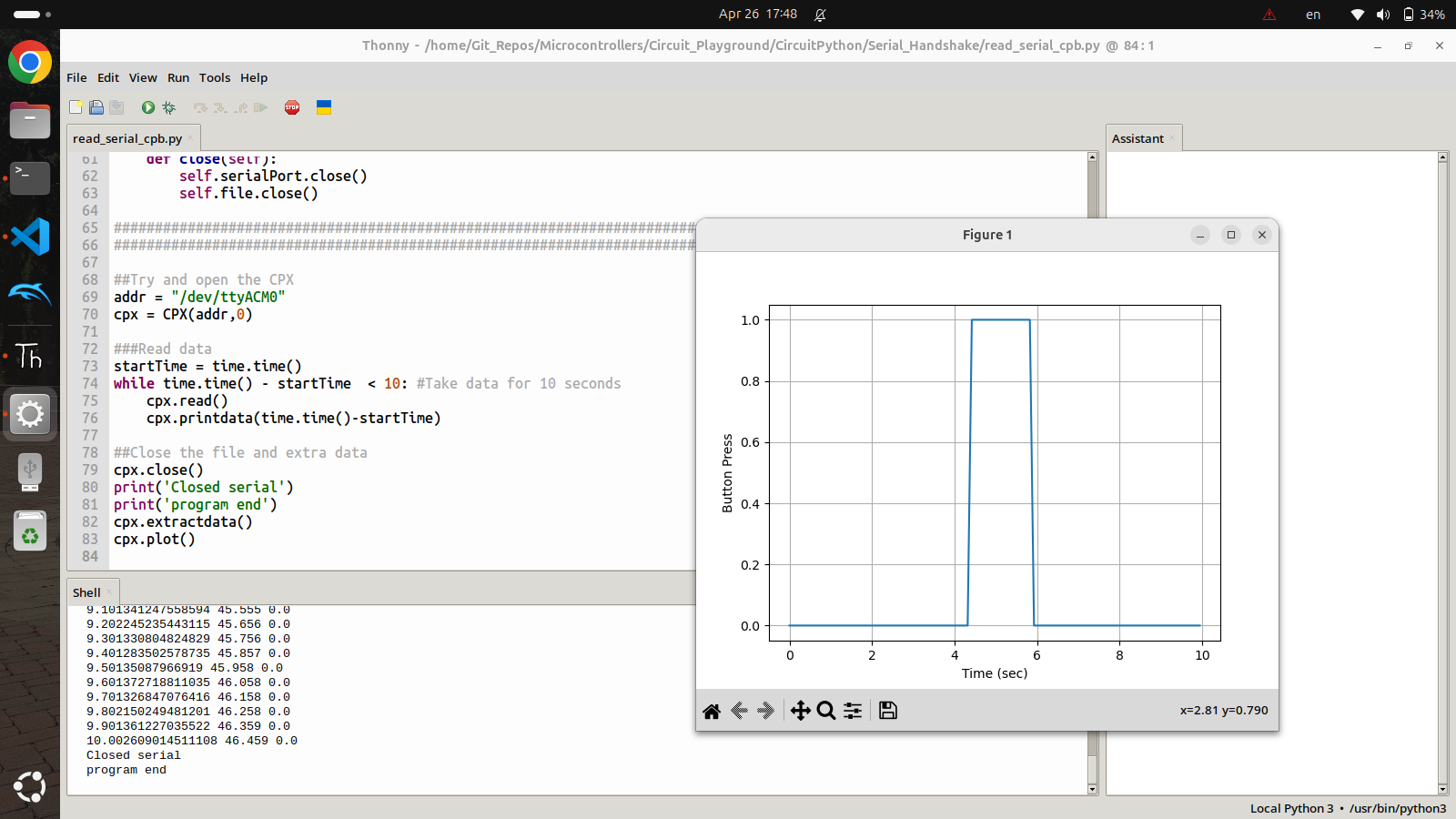
The code above is pretty advanced and uses a class called CPX to handle all of the serial communication as well as saving the text file and plotting. The __init__ function creates a filename and opens a serial port on "/dev/ttyACM0" which is a serial port for Linux. If using Windows the port will be something like "COM3" and if using Mac it will be something like "/dev/tty.usbmodem14101". The read function reads the serial data and saves it to a text file by first stripping the binary information, line feeds and converts the number of a 64 bit number. The extractdata function plots the data after the serial reading is done. The main part of the code is in the while loop at the bottom which continuously reads serial data for 10 seconds in this case. So basically, the CPX/CPB is coded using Mu to send serial data to the computer just like the REPL in Mu and then the laptop program is run to save 10 second of data to a text file and then plot the data. The figure below shows the result of running the example script.
Figure12.1.2.Example Serial Plot of Button Presses vs Time